Photography
How to Plan Architectural Photography Around Sun Direction
By SunCast team · Published · Last updated · 6 min read · Markdown
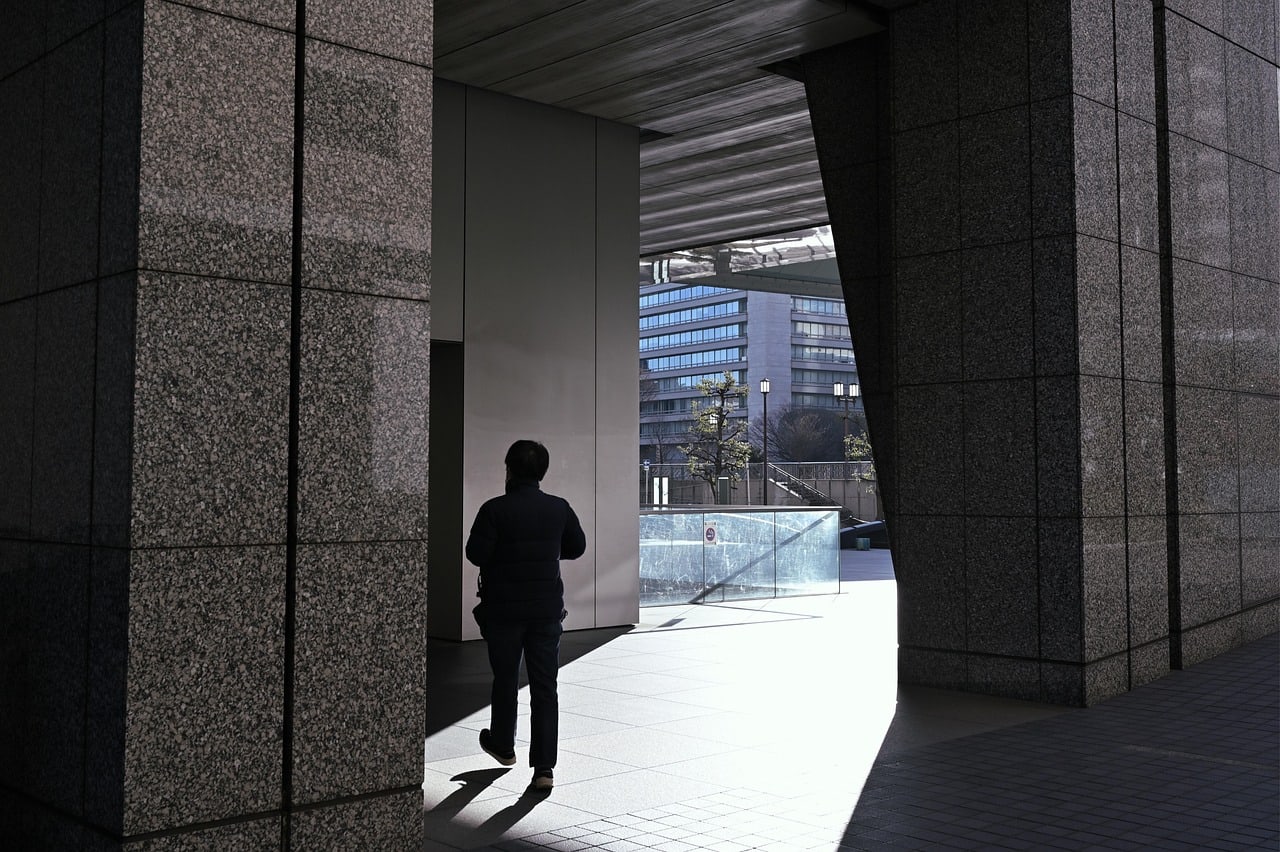
TL;DR
To plan architectural photography around sun direction, identify the facade you need, check the sun’s azimuth and elevation for the exact address and date, then test for real blockers such as surrounding buildings and terrain. Choose front light for clarity, side light for texture, backlight for shape, or shade for an even treatment, and keep a second time window in reserve.
A sunny forecast says little about a building shoot. A bright day can leave the main facade flat, put an entrance in deep shade, send glare into every window, or hide the structure’s best lines behind a neighbouring tower’s shadow.
The useful question is specific: what will the light do to this side of this building, at this time, on this date?
Start with the facade, not the clock
Write down the facade, entrance, corner, or interior-facing window that matters. Then decide what the image needs to show.
| Light choice | What it tends to reveal | Best use |
|---|---|---|
| Front light | Clear color and material detail, with short visible shadows | Documentation, listings, simple elevations |
| Side light | Texture, relief, repeating geometry, and long diagonal shadows | Brick, stone, louvers, columns, deep reveals |
| Backlight | Outline, translucent materials, silhouette, and atmosphere | Glass, canopies, dramatic skyline compositions |
| Open shade | Even exposure with less glare and contrast | Facades that need a calm, graphic treatment |
There is no best orientation for every building. A west facade may be ideal for a late-day side-lit study and unusable for an east-facing client brief. Start from the intended frame; time is the variable you solve for afterward.
Check direction and height of the sun
Two solar measurements make a planning view useful:
- Azimuth is the compass direction of the sun. It tells you which side of the building receives light.
- Elevation is the sun’s height above the horizon. It influences how long shadows are and whether overhangs, trees, or nearby buildings interrupt the light.
The NOAA Solar Calculator lets users check solar position, azimuth, elevation, sunrise, sunset, and solar noon for a chosen place and time. Use the same logic in the SunCast sun calculator: set the address, select the shoot date, and move through the likely time window.
For architectural photography, azimuth chooses the lit facade; elevation determines whether the light grazes, flattens, or clears an obstruction.
Check the light on your façade
Find the building and inspect the sun’s direction and height for your shoot date.
Choose a search result to start. Browser location is only requested when you press the button above.
Open the sun position calculator →Plan for the date, not a generic season
The sun’s path changes through the year because Earth’s axis is tilted. NASA explains that the resulting seasonal shift changes both the directness of sunlight and day length for each hemisphere. Read its concise seasons explainer before applying any Northern-Hemisphere rule to a Southern-Hemisphere site.
That has a direct visual consequence. A low winter sun can send long shadows across a facade and bring out relief; a higher summer sun can make the same wall top-lit around midday. Around the equinoxes, sunrise and sunset directions are closer to east and west, but the correct answer still comes from the selected date and place.
Choose the actual shoot date first. If it is flexible, compare two or three dates in the desired month before committing to the crew call.
Worked example: the Lincoln Memorial
The front of the Lincoln Memorial faces east, across the Reflecting Pool towards the Washington Monument (National Park Service). An east-facing facade gets direct sun from sunrise until the sun passes due south at solar noon. SunCast’s sun calculator gives these 2026 figures for the memorial, in Eastern Time:
| Date | Sunrise and bearing | Sun reaches 10° | East front loses direct sun |
|---|---|---|---|
| 20 March | 07:13, 90° | 08:09, bearing 99° | 13:16, sun 51° high |
| 21 June | 05:44, 59° | 06:46, bearing 68° | 13:10, sun 75° high |
| 21 December | 07:24, 120° | 08:32, bearing 131° | 12:07, sun 28° high |
Near the equinoxes the sun rises close to the facade’s axis, so dawn gives fairly even front light on the colonnade. In June it rises about 30° north of that axis and in December about 30° south, so low morning light crosses the columns from opposite sides in the two seasons. The midday cut-off also means something different: in June the sun is 75° up when it leaves the front, while in December it is still only 28° high.
Add the blockers a sun-time table cannot see
Sunrise and sunset are horizon events. A building can lose direct light long before sunset because a tower, ridge, mature tree, wall, or balcony blocks the sun line. Conversely, a reflective glass facade may create glare long after direct sun leaves the subject.
Do a blocker pass in three layers:
- Map context: identify nearby buildings, terrain, and the street orientation.
- Street-level context: look for tree canopies, temporary construction, signs, awnings, deep reveals, and narrow streets.
- Camera-position context: check whether the sun enters the lens, hits the background, or falls behind the building at the chosen focal length.
Build a two-window shot plan
Avoid one perfect-time plan. Make a primary and backup window for each critical facade.
| Shot | Primary light goal | Primary window | Backup window | What to verify on site |
|---|---|---|---|---|
| Main elevation | Even front or gentle side light | Chosen after azimuth check | Opposite end of day or overcast alternative | Facade brightness, window reflections |
| Detail / texture | Low side light | Lower-elevation sun | Slightly later or earlier | Shadow depth and distracting contrast |
| Wide context | Backlight or silhouette | Sun behind/near the building | Open-shade composition | Lens flare, skyline exposure |
| Interior toward windows | Soft indirect light | Shade or controlled sun | Another room/time | Window clipping and mixed color temperature |
This table is simple, but it prevents a common failure: spending the only good facade window figuring out where to stand.
A repeatable architectural scouting workflow
- Choose the facade and story. Is the image about material, scale, shadow, use, or a clean record of the building?
- Find the address and orientation. Mark the camera position and the facade bearing on a map.
- Compare two dates and several times. Use a sun-position tool to inspect azimuth and elevation, rather than relying on “morning” or “afternoon.”
- Inspect the shadow scene. Look for larger blockers in a 3D map, then list the small blockers to verify in person.
- Walk the site before shoot day if possible. Take phone reference frames from the intended camera positions.
- Prepare the weather decision. Cloud can soften contrast but also erase the directional shadow that made the idea work. Check the forecast close to the shoot, and retain a shaded or interior sequence as a fallback.
For more general portrait or location work, see how to plan a photoshoot around light direction. For the solar terms behind the workflow, see sun azimuth and elevation explained.
Know the limits of a sun-path preview
Solar tools calculate where the sun should be for a time and location. Clouds, haze, window cleaning, permits, access, traffic, cranes, foliage and changed surroundings can all matter more than the calculated line. Use the preview to arrive when the facade has a fair chance of working, with an alternative angle, a second time and enough setup margin to use the light once it arrives.
The short version
Plan architecture around the facade and the photograph you want. Check azimuth for direction, elevation for shadow behaviour, and the real scene for blockers. Then keep a second window ready.
Frequently asked questions
How do photographers know when a building will be in sunlight?
Start with the facade direction, then check the sun azimuth and elevation for the address, date, and intended shooting time. Confirm the result against nearby buildings, terrain, trees, and overhangs because they can block direct light before the astronomical sunset time.
What is the best direction to photograph a building?
There is no universal best direction. Front light is useful for clear detail, side light reveals texture and depth, backlight can create silhouettes or rim-lit edges, and open shade can suit an even, low-contrast look. The building, brief, and surrounding skyline decide which is right.
Why does the same facade look different in winter and summer?
Earth’s tilt changes the sun’s path and the length of the day through the year. At many locations the lower winter sun creates longer shadows, while the higher summer sun can make a facade look more top-lit around midday.