For Gardeners

Full sun, part shade or shade? Check the bed before you plant.

Plant labels tell you how much direct sun a plant needs. SunCast shows the sun's path over your garden for any date and the shadows from your house and its neighbours, so you can work out how long a bed stays in sun in April as well as in June.

Last updated: October 14, 2026

Download on the App Store
SunCast photographer user avatar SunCast property agent user avatar SunCast gardener user avatar

4.8 · US App Store

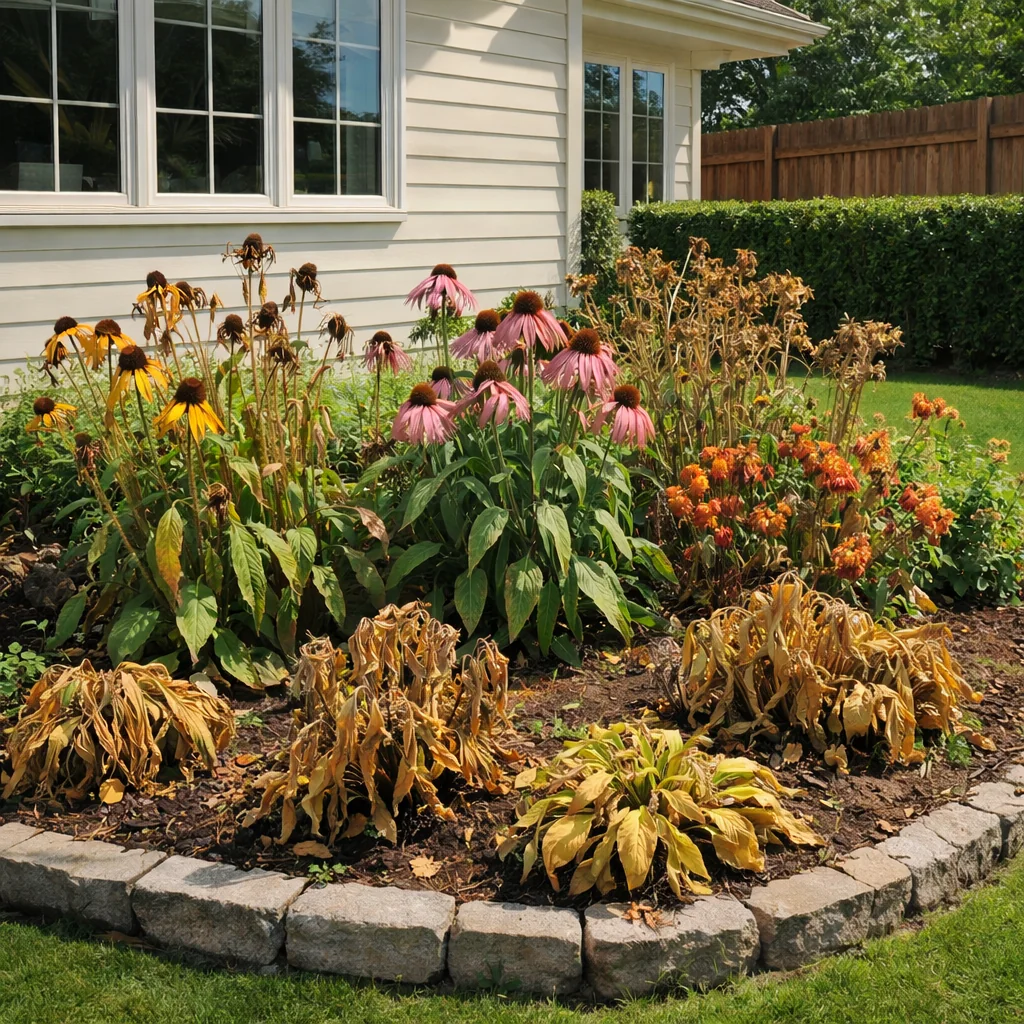
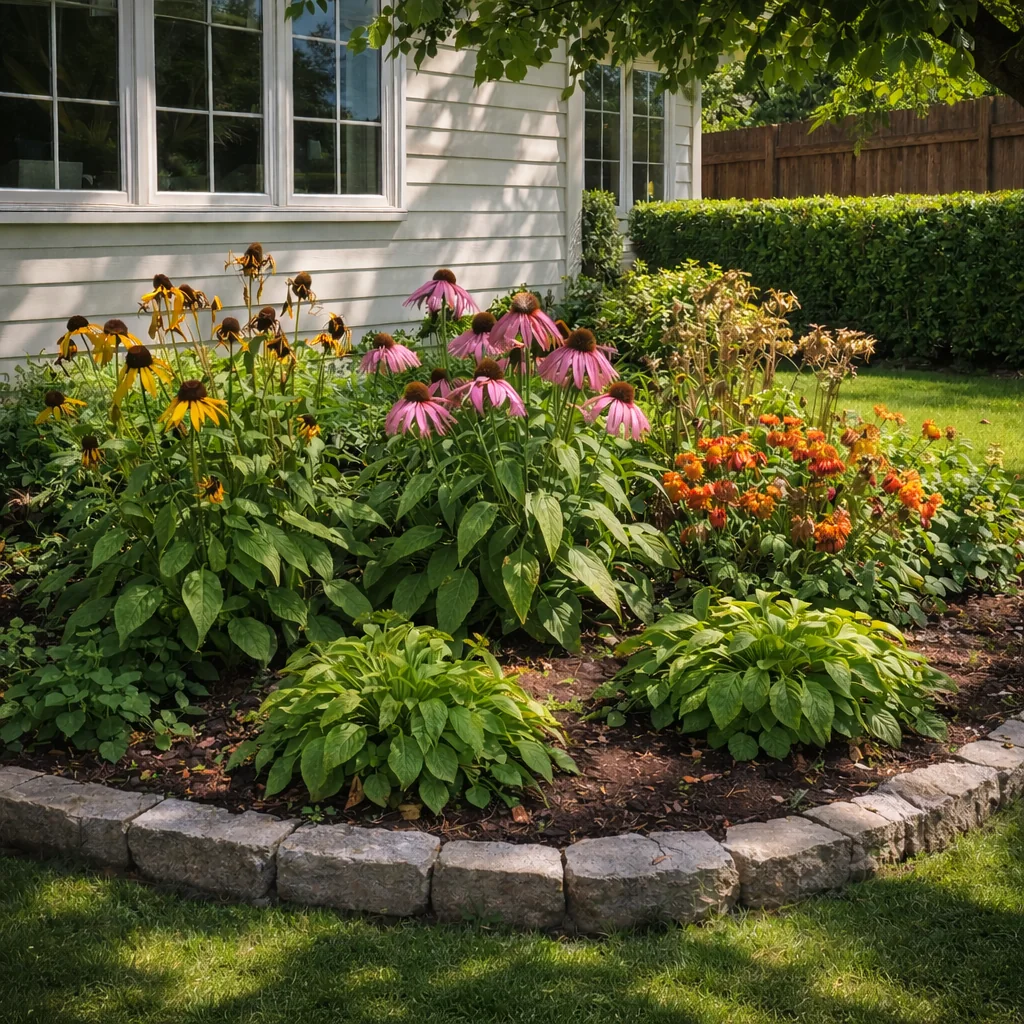
Wilting plants exposed to harsh sun Healthy plants in their ideal light
Stressed Plants
Thriving Plants

How it works

  1. Stand at the bed you want to plant
  2. Follow the sun across the day
  3. Match the plant to the light

Built for the job

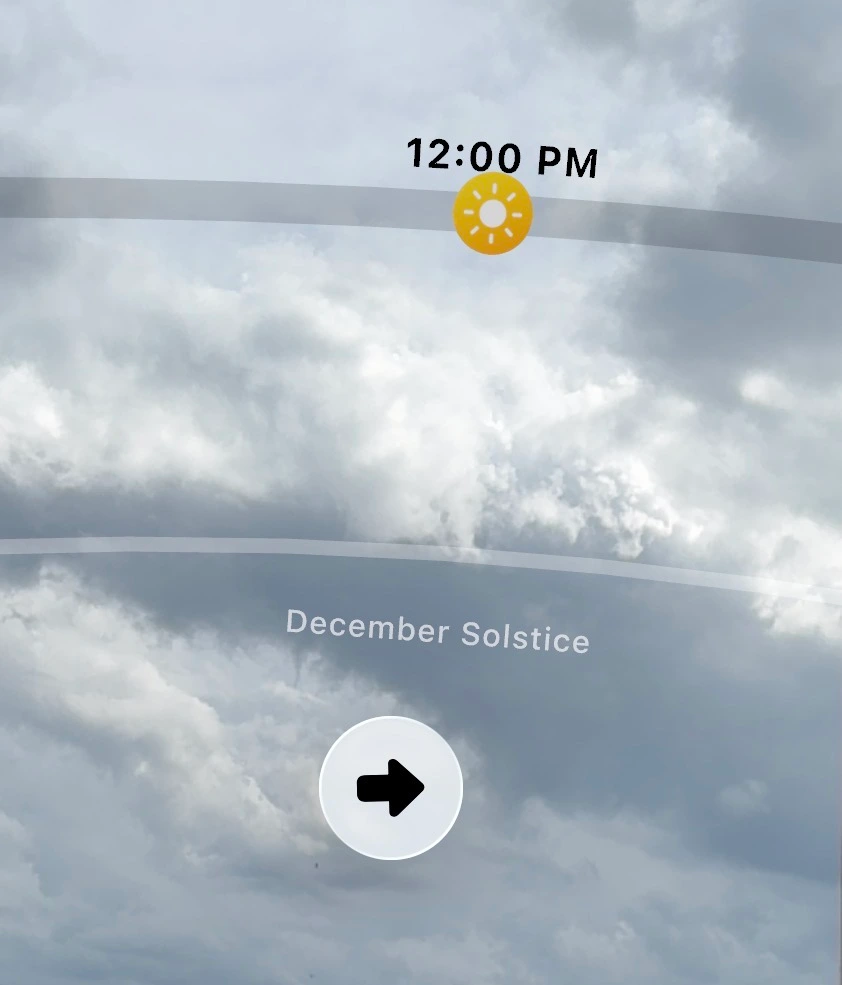
AR Sun Tracker

Stand at a bed and hold up your iPhone to see the sun's path across the sky for any date. Where the path dips behind a hedge, fence or tree, that part of the day is shade for the bed.

Plan natural light through windows, shade in your garden, or scout outdoor shots without leaving your couch.
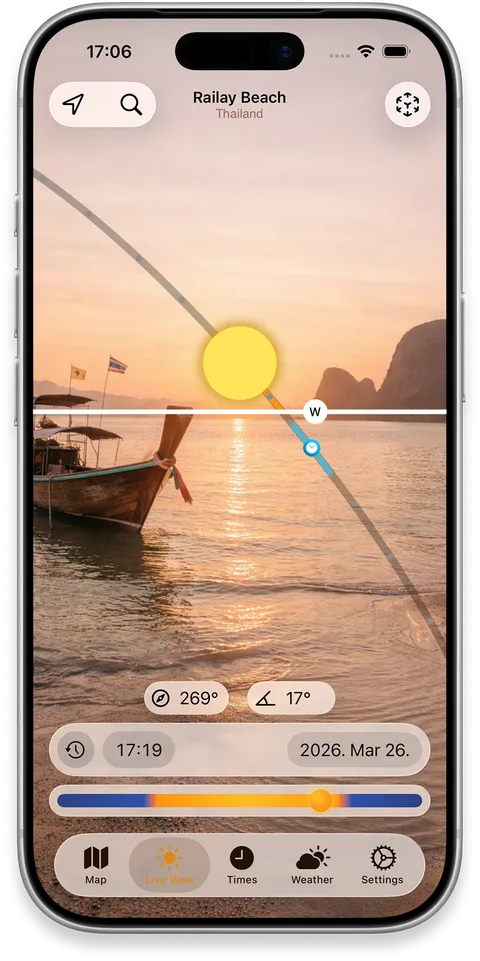
iPhone showing the sun path drawn over a real building in AR

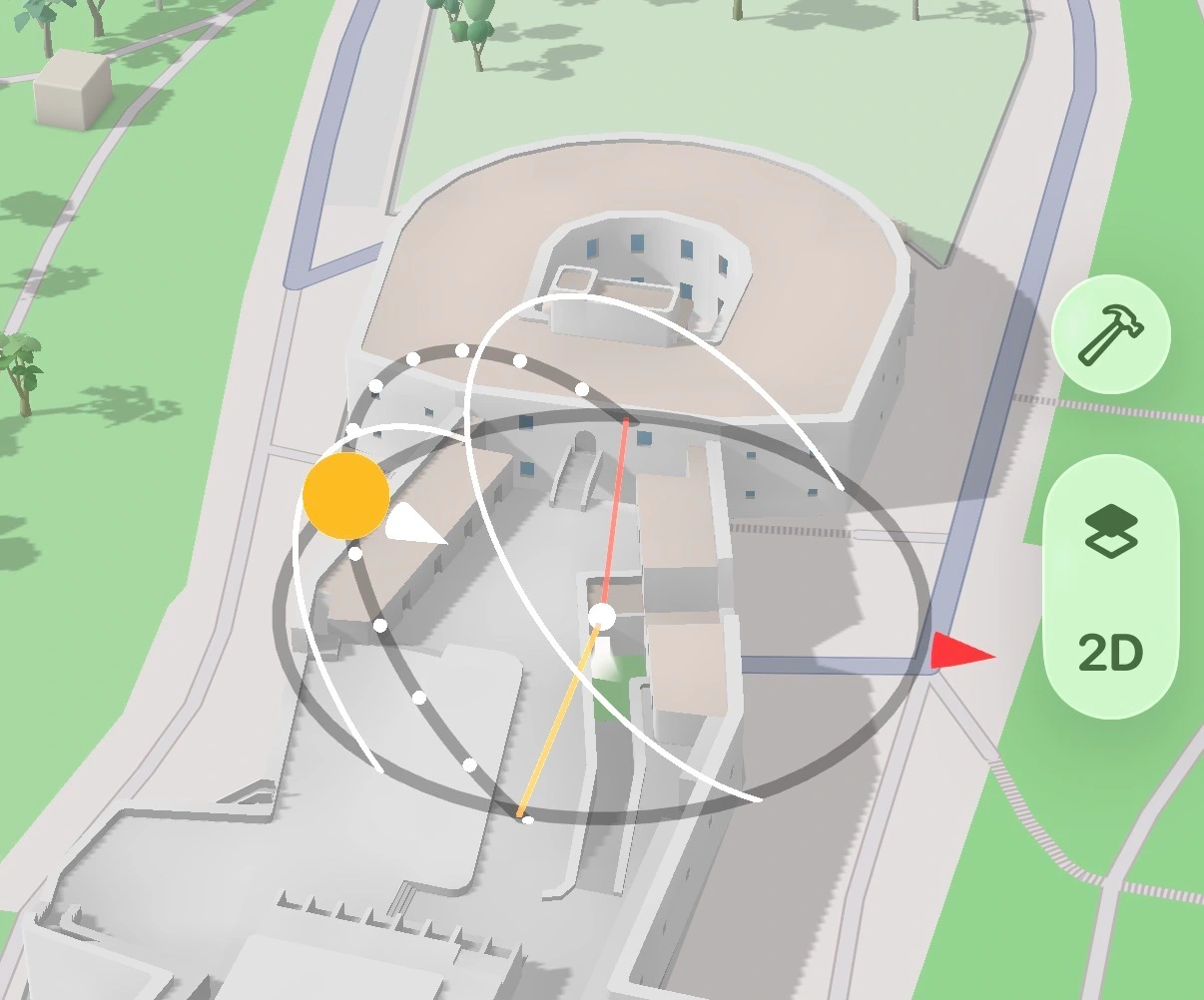
Realistic Shadow Mapping

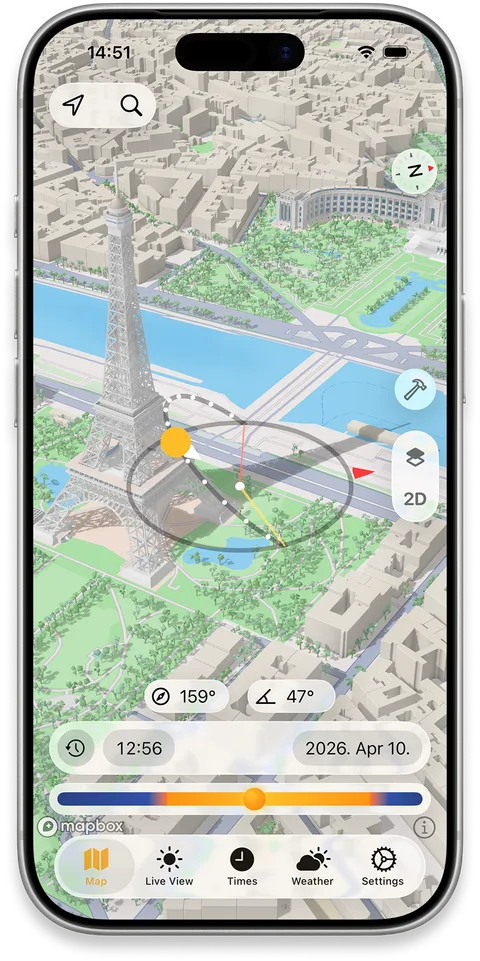
See shadows from your house and neighbouring buildings on the 3D map at any time and season. Trees, hedges and fences are usually missing from map data, so check those with the AR view in the garden.

Perfect for finding sunny spots, scouting locations, or figuring out which apartment gets light in winter.

iPhone map showing 3D building shadows across a city block

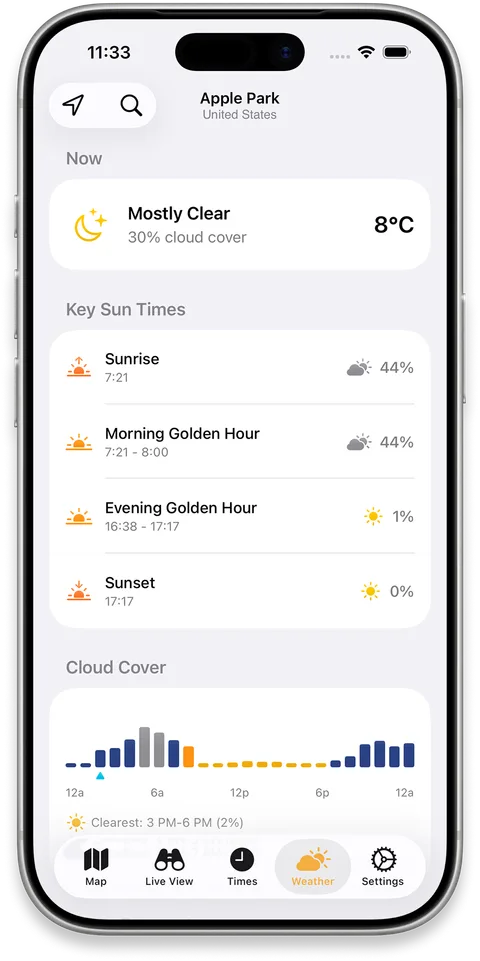
Cloud & Weather Forecast

Hourly cloud cover layered with sun position data — spot the clearest window for shooting, planning, or just catching a perfect sunrise.

iPhone showing an hourly cloud cover forecast alongside sun position

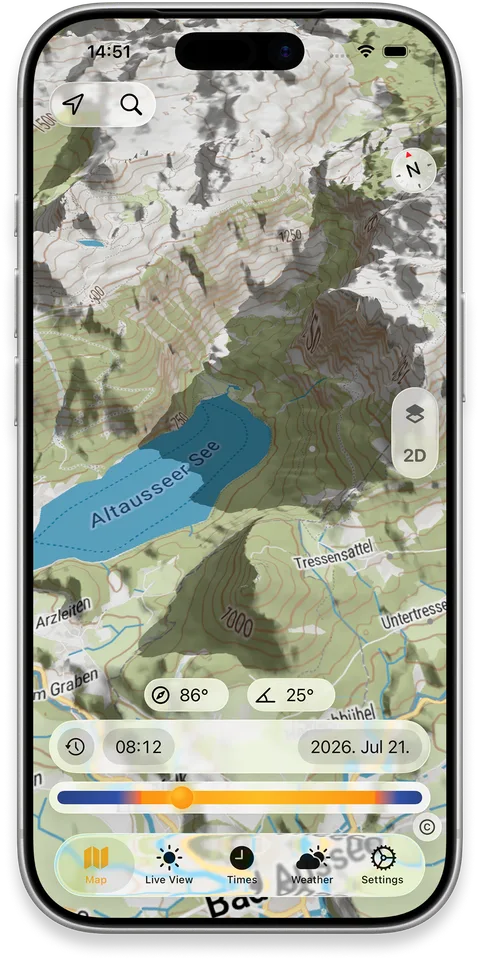
Terrain Shadows

See realistic 3D shadows cast by hills, ridges and valleys as the sun moves across the day — not just a static shaded-relief map.

Explore a future date and time to see when a valley falls into shade, when a ridge blocks a view, or which slope catches the first light.

iPhone map showing shadows cast by surrounding terrain
FAQ

Frequently asked questions

Can I see the sun's path for different seasons?
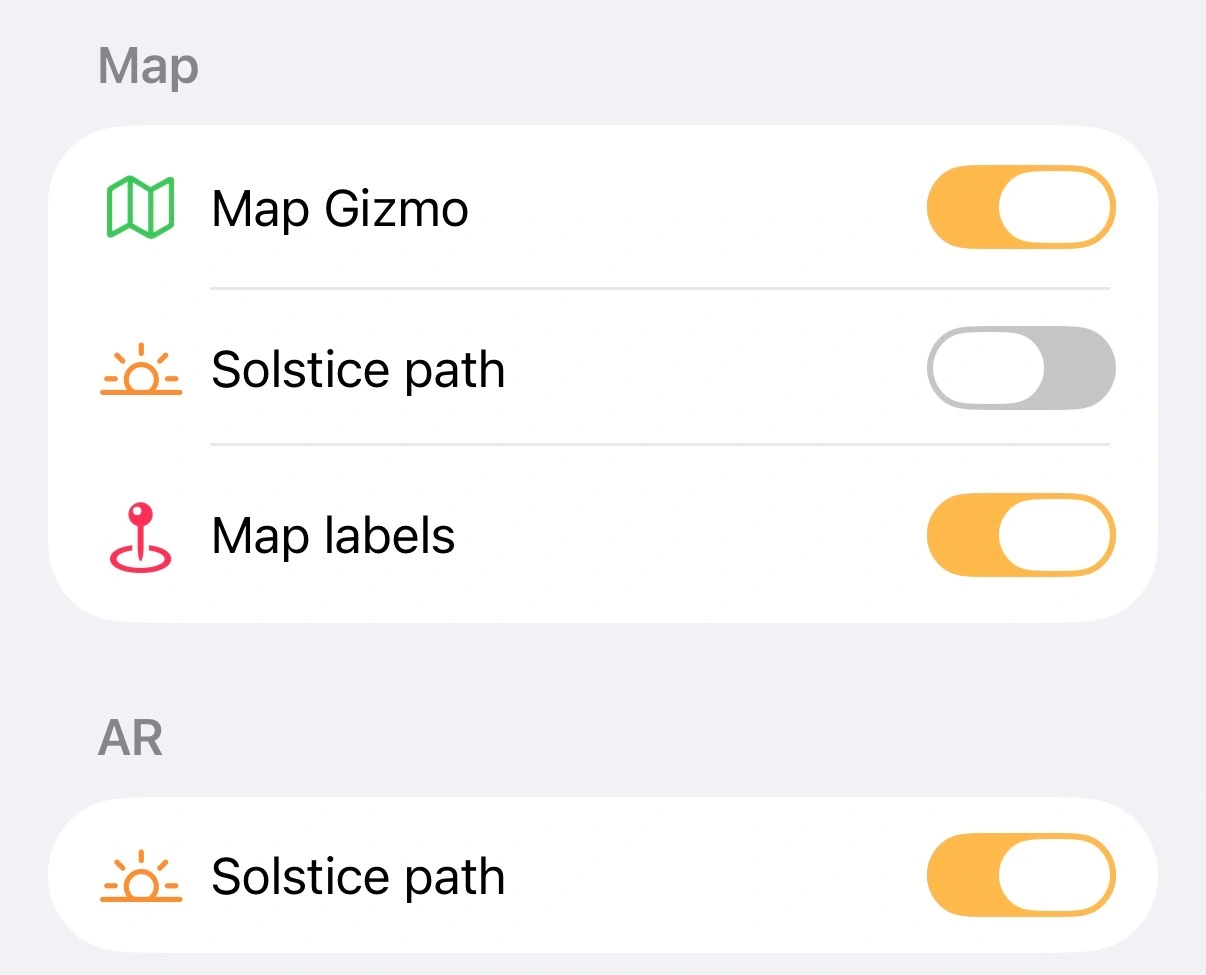
Yes. SunCast can overlay the summer and winter solstice sun paths on both the mapSolstice sun paths on the SunCast map and in ARDecember Solstice path in SunCast AR view — useful for understanding how light changes across seasons at any location. Enable them separately using the Solstice path toggles in Settings.Solstice path toggles in SunCast settings
Can SunCast show where the sun will be on a future date?
Yes. Pick any date — past or future — and any location, and SunCast shows the full sun path, sunrise and sunset times, and shadow positions for that moment.
What does the AR sun tracker show me?
Hold your iPhone up and SunCast overlays the sun's path on your real surroundings — where the sun is now, where it will be later, and where it rises and sets. Works for any time and any date.
How accurate is the sun position?
SunCast uses precise astronomical calculations — accurate enough for professional photography, architecture, and location scouting. The sun moves gradually enough that results stay consistent across an entire neighborhood.

Stop guessing the light.

Download on the App Store