

For Photographers

Know where the sun will be before you set up the tripod.

Check whether the sun will rise behind your subject or off to one side, when golden and blue hour begin, and when a building will shade the scene. SunCast works for any location and date, including places you haven't visited yet.

Last updated: October 14, 2026

Download on the App Store
SunCast photographer user avatar SunCast property agent user avatar SunCast gardener user avatar

4.8 · US App Store

Charles Bridge under flat, overcast light Charles Bridge bathed in golden-hour light
Guessing
Planned Shot

How it works

  1. Pick the location and date
  2. Line the sun up with your subject
  3. Get there before the light changes

Built for the job

AR Sun Tracker

At the location, hold up your iPhone to see the sun's path drawn over the scene for your shoot date. You can tell whether the sun will set behind that tower or clear of it before you commit to a spot.

Plan natural light through windows, shade in your garden, or scout outdoor shots without leaving your couch.
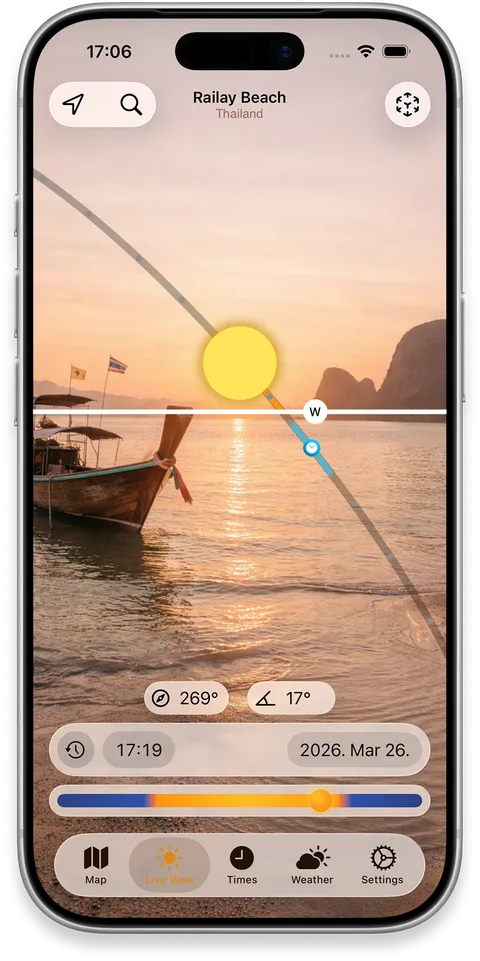
iPhone showing the sun path drawn over a real building in AR

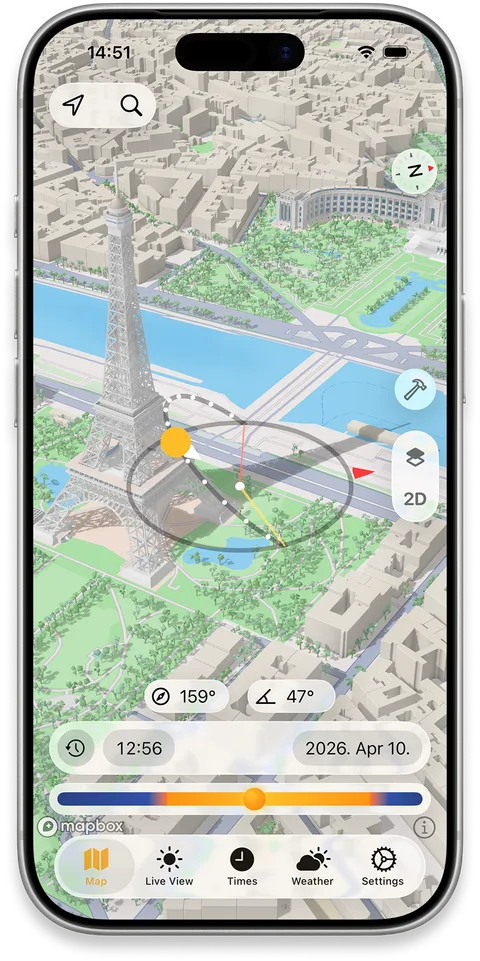
Realistic Shadow Mapping

Move through the day on the 3D map to see when mapped buildings put a street, square or façade into shade. Useful for cityscapes and street portraits, where direct light often goes well before sunset.

Perfect for finding sunny spots, scouting locations, or figuring out which apartment gets light in winter.

iPhone map showing 3D building shadows across a city block

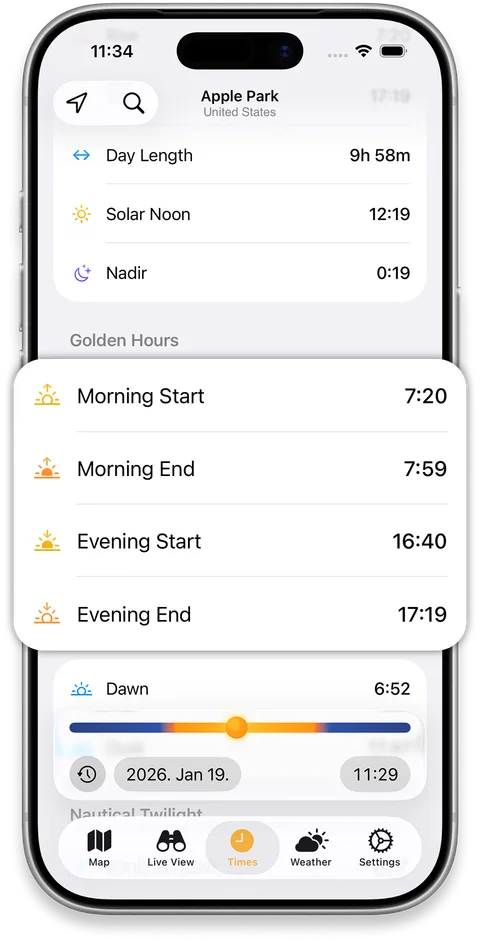
Golden & Blue Hour Times

Golden hour, blue hour, sunrise, sunset and each twilight phase for any date and place, plus the sun's azimuth and elevation, so you know when to be in position and which way to face.

iPhone showing sunrise, sunset, golden hour and blue hour times

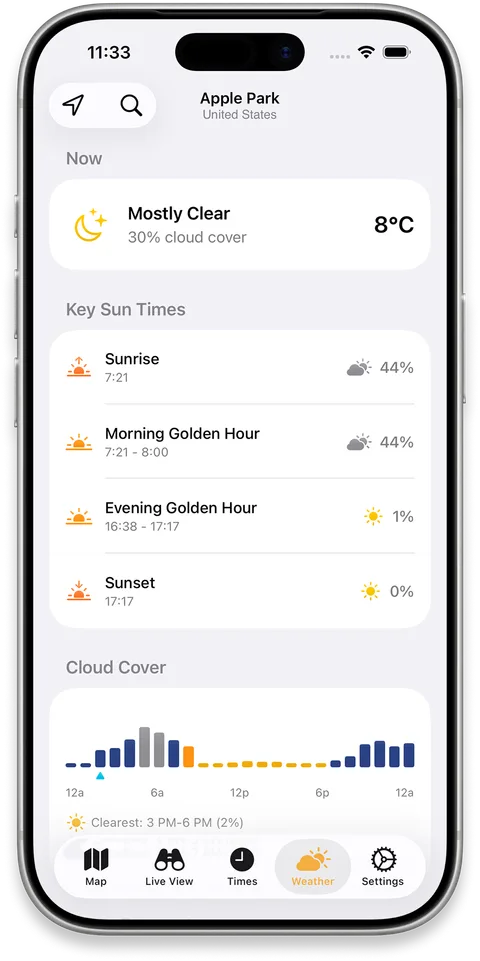
Cloud & Weather Forecast

Hourly cloud cover from Apple WeatherKit next to the sun times, so you can check the hours around sunrise or sunset before you set an alarm or drive out.

iPhone showing an hourly cloud cover forecast alongside sun position

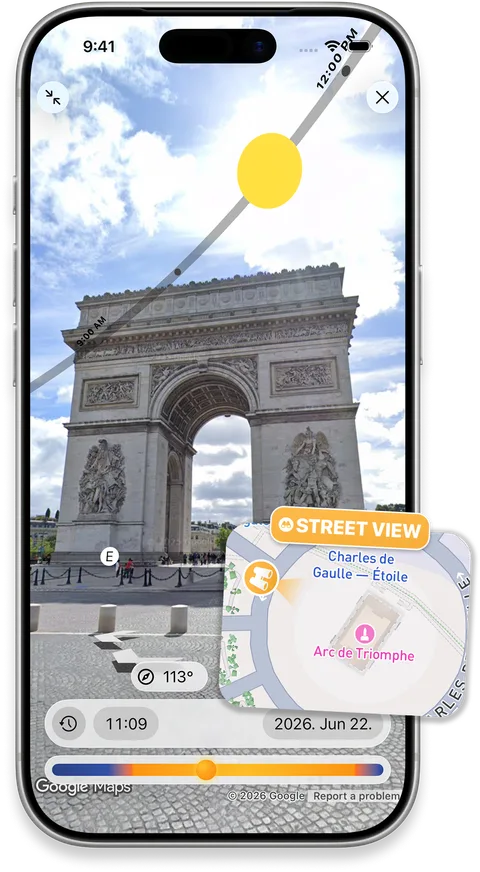
Street View Sun Path

Overlay the sun’s path on a Street View panorama to scout the light at a distant location before you visit.

Check where the sun will appear in the scene at your planned date and time, then arrive with a clearer idea of your shooting or viewing angle.

iPhone showing the sun path over a Street View panorama

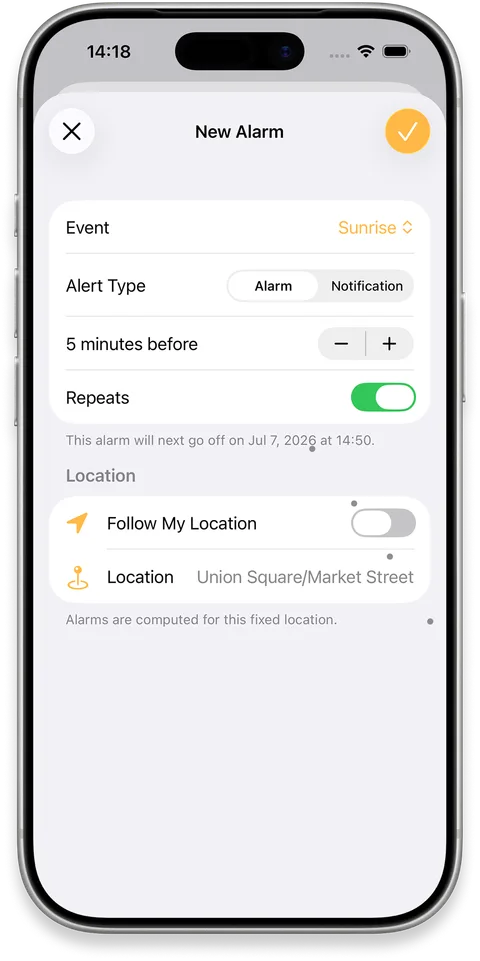
Solar Alarms

Set an alarm or notification for sunrise, sunset and other sun events, tailored to the moments you want to catch.

Get a prompt before the light changes so you can reach your viewpoint, set up your camera or simply step outside in time.

iPhone showing solar alarm settings for sun events
FAQ

Frequently asked questions

Does it support golden hour and blue hour times?
Yes. The Sun Timetable shows precise times for any location and any date — sunrise, sunset, solar noon, golden hour, blue hour, dusk, dawn, and civil, nautical, and astronomical twilight.
What does the AR sun tracker show me?
Hold your iPhone up and SunCast overlays the sun's path on your real surroundings — where the sun is now, where it will be later, and where it rises and sets. Works for any time and any date.
Can SunCast show where the sun will be on a future date?
Yes. Pick any date — past or future — and any location, and SunCast shows the full sun path, sunrise and sunset times, and shadow positions for that moment.
How accurate is the sun position?
SunCast uses precise astronomical calculations — accurate enough for professional photography, architecture, and location scouting. The sun moves gradually enough that results stay consistent across an entire neighborhood.

Stop guessing the light.

Download on the App Store