
For Home Hunters

Will this place get any sun in December?

A viewing shows you one hour on one day. During the visit, point SunCast out of the window to see the sun's summer and winter paths, then use the 3D map to check whether neighbouring buildings shade the flat in the colder months.

Last updated: October 14, 2026

Download on the App Store
SunCast photographer user avatar SunCast property agent user avatar SunCast gardener user avatar

4.8 · US App Store

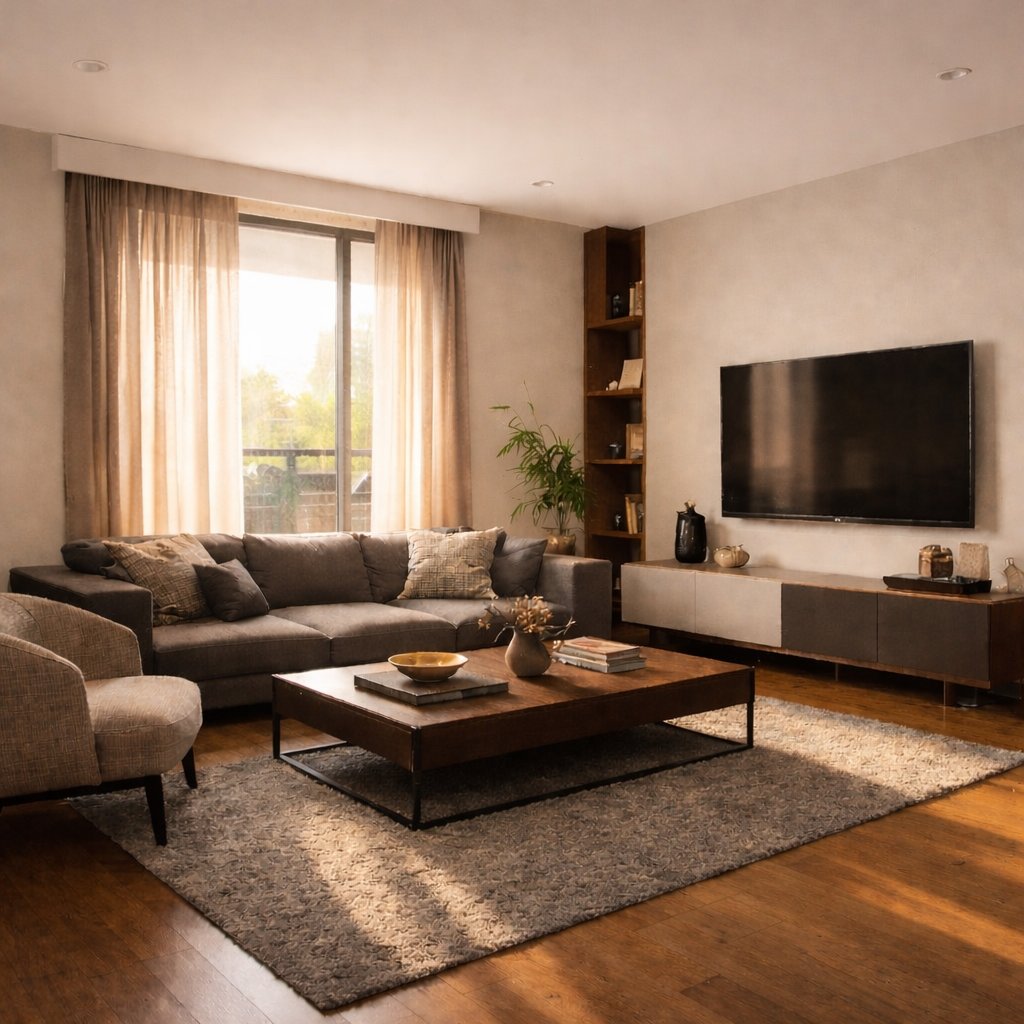
Dim, cool living room with little natural light Warm, sunlit living room
Dim Room
Sunlit Room

How it works

  1. Stand at the window or balcony
  2. Compare summer and winter sun paths
  3. Check shade from the buildings around it

Built for the job

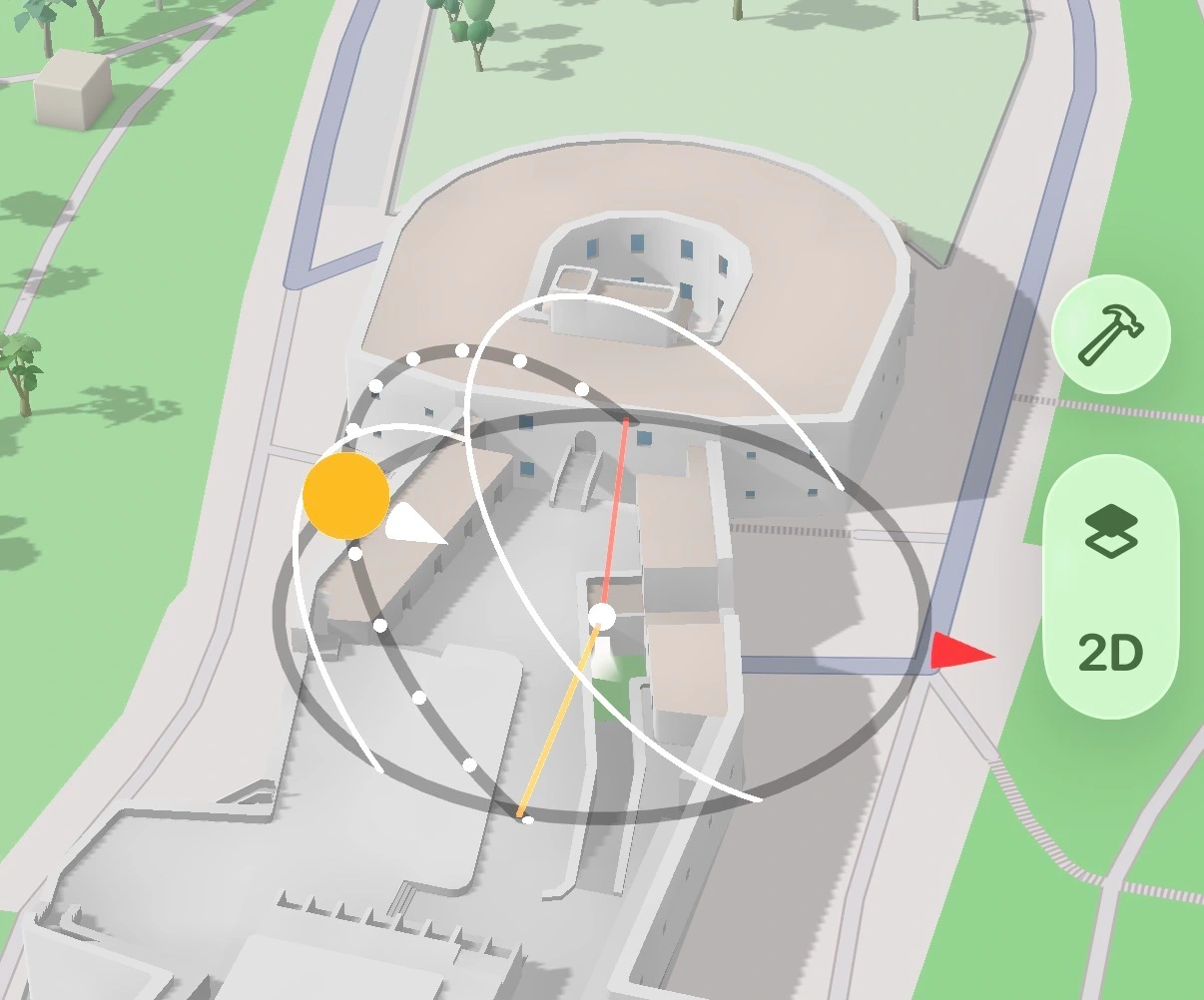
AR Sun Tracker

During a viewing, point your iPhone out of the window to see the sun's path for summer and winter. You can see whether it clears the building opposite or drops behind it, and whether a room faces the morning or the evening sun.

Plan natural light through windows, shade in your garden, or scout outdoor shots without leaving your couch.
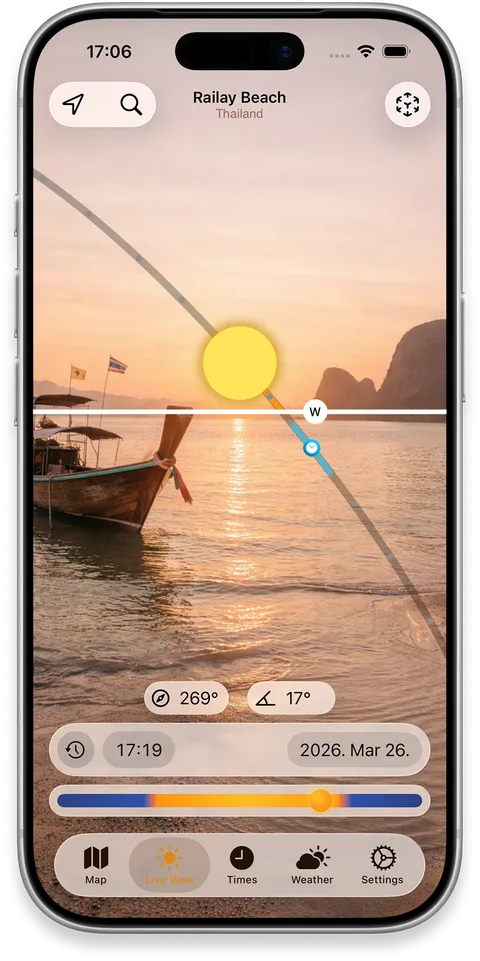
iPhone showing the sun path drawn over a real building in AR

Realistic Shadow Mapping

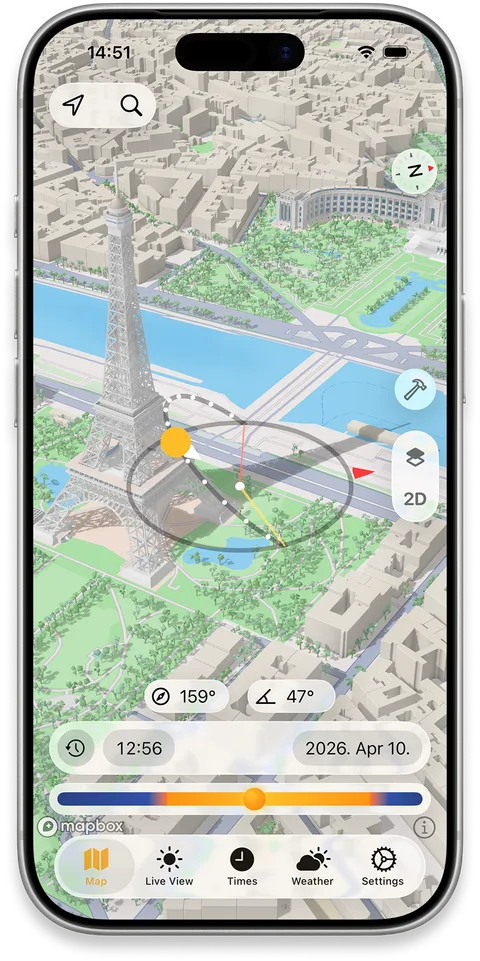
Look the building up on the 3D map and move through different times and dates to see when mapped neighbours shade its façade, garden or balcony. You can do this from home before booking a viewing.

Perfect for finding sunny spots, scouting locations, or figuring out which apartment gets light in winter.

iPhone map showing 3D building shadows across a city block

Building Shadow Simulator

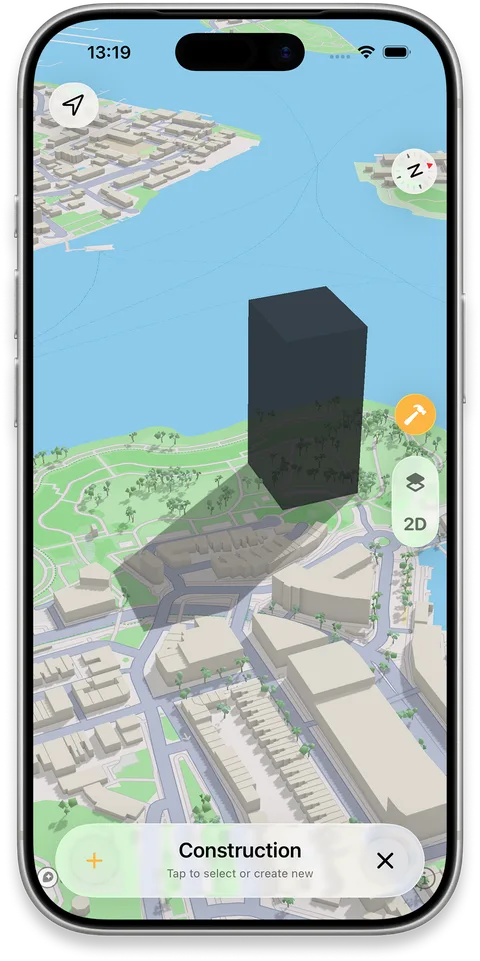
If the empty plot next door has planning permission, place a 3D block of roughly the approved size and see how far its shadow could reach across your windows through the year.

iPhone showing a planned building's shadow on neighbouring streets

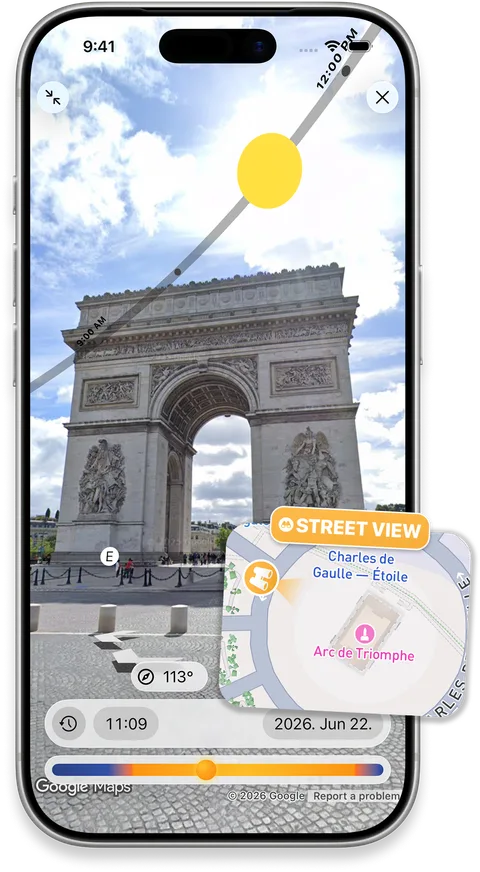
Street View Sun Path

Overlay the sun’s path on a Street View panorama to scout the light at a distant location before you visit.

Check where the sun will appear in the scene at your planned date and time, then arrive with a clearer idea of your shooting or viewing angle.

iPhone showing the sun path over a Street View panorama

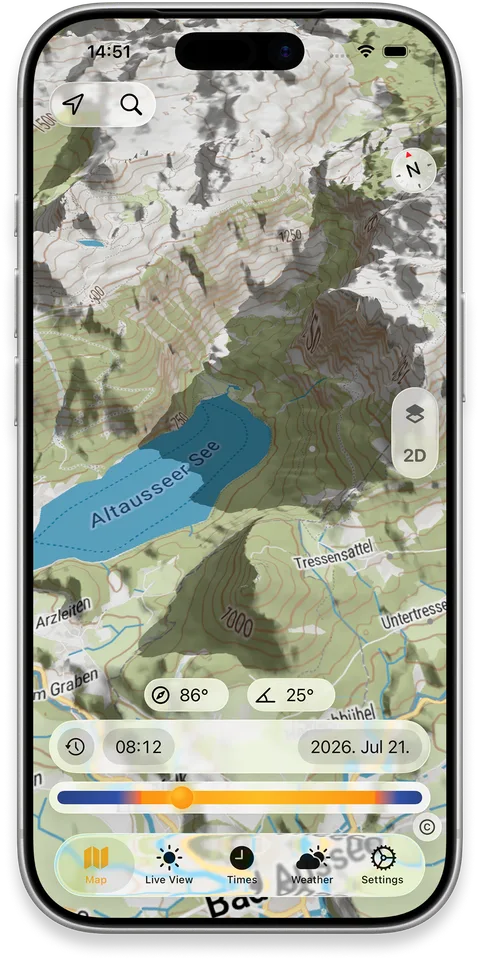
Terrain Shadows

See realistic 3D shadows cast by hills, ridges and valleys as the sun moves across the day — not just a static shaded-relief map.

Explore a future date and time to see when a valley falls into shade, when a ridge blocks a view, or which slope catches the first light.

iPhone map showing shadows cast by surrounding terrain
FAQ

Frequently asked questions

Can I check sunlight in an apartment before renting?
Yes. Stand in the apartment, point your iPhone, and see the sun's path for summer and winter. Find out if it gets morning sun, afternoon light, or stays in shadow most of the day.
Can I see the sun's path for different seasons?
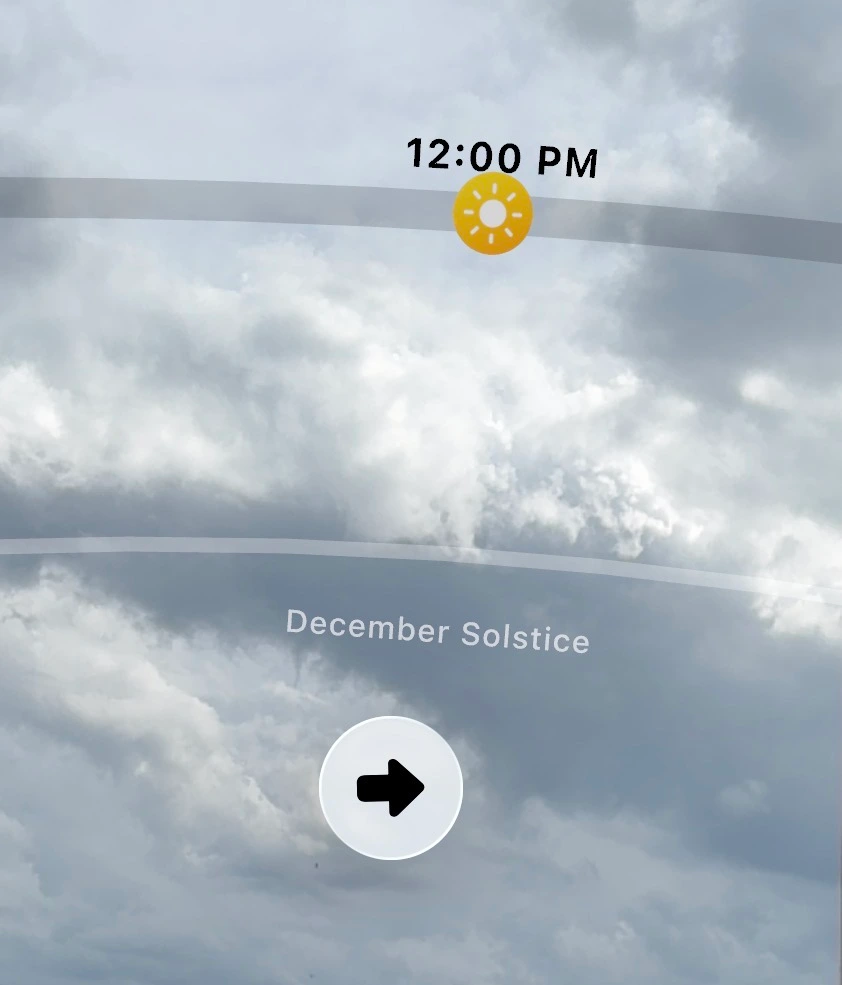
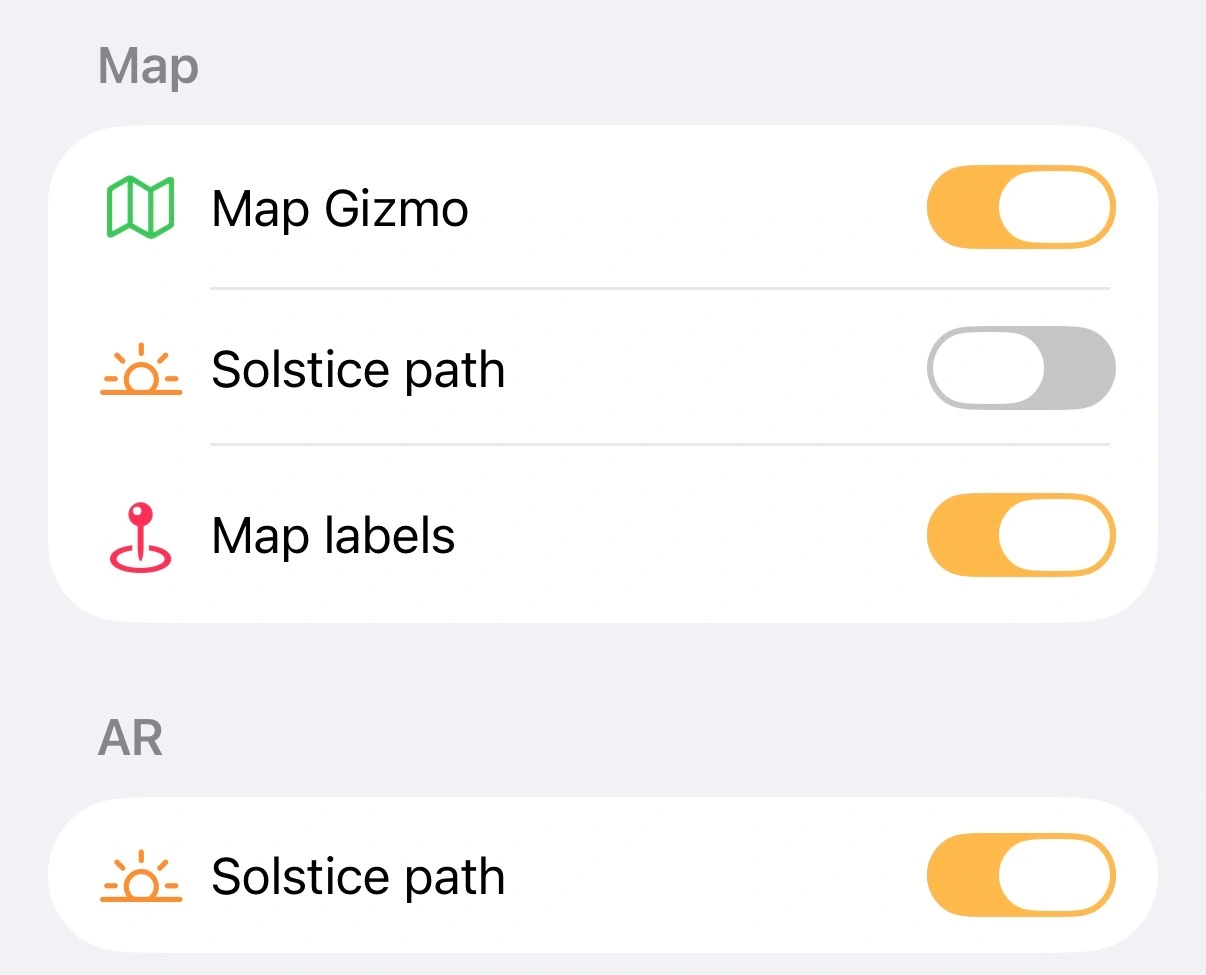
Yes. SunCast can overlay the summer and winter solstice sun paths on both the mapSolstice sun paths on the SunCast map and in ARDecember Solstice path in SunCast AR view — useful for understanding how light changes across seasons at any location. Enable them separately using the Solstice path toggles in Settings.Solstice path toggles in SunCast settings
Can I see building shadows?
Yes. Visualize Shadows shows realistic 3D shadows from buildings and terrain at any time of day or season. Construction Mode lets you preview how a planned building will change light and shadow on neighboring streets.
Can SunCast show where the sun will be on a future date?
Yes. Pick any date — past or future — and any location, and SunCast shows the full sun path, sunrise and sunset times, and shadow positions for that moment.

Stop guessing the light.

Download on the App Store